
IT support and Windows management
Your help desk.
Your own network.
Bring your service desk, device management, remote support, monitoring and backups together in one console on your own Windows server.

- Your own Windows server
- No per-device pricing
- No per-admin pricing
See it in action
A closer look at Help.meNOW!
Explore the refreshed console, then keep the product overview for later.
One connected workspace
From the first request to the fix.
Keep people, devices, work and history together instead of moving between separate tools.
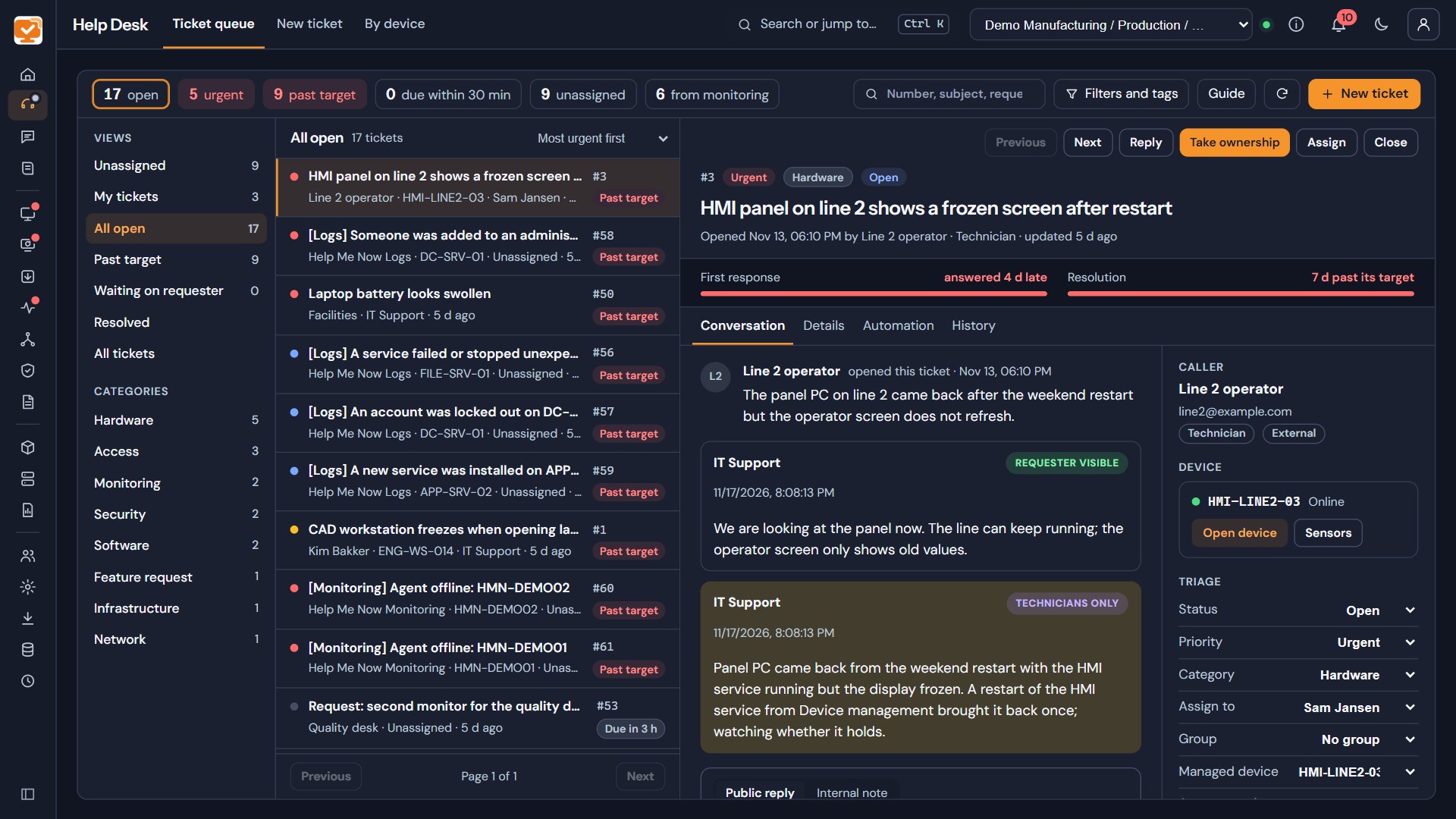
Help people and their devices together
A help desk built for triage
See urgent, unassigned and overdue requests in a focused ticket desk. Read the conversation alongside the caller, linked device and response targets.
- Filter the queue, take ownership and route work to support groups.
- Find callers and their devices while creating a request.
- Keep requester replies separate from technician-only notes.
- Give staff their own My Support view to submit requests and follow progress.
A clear view of every device
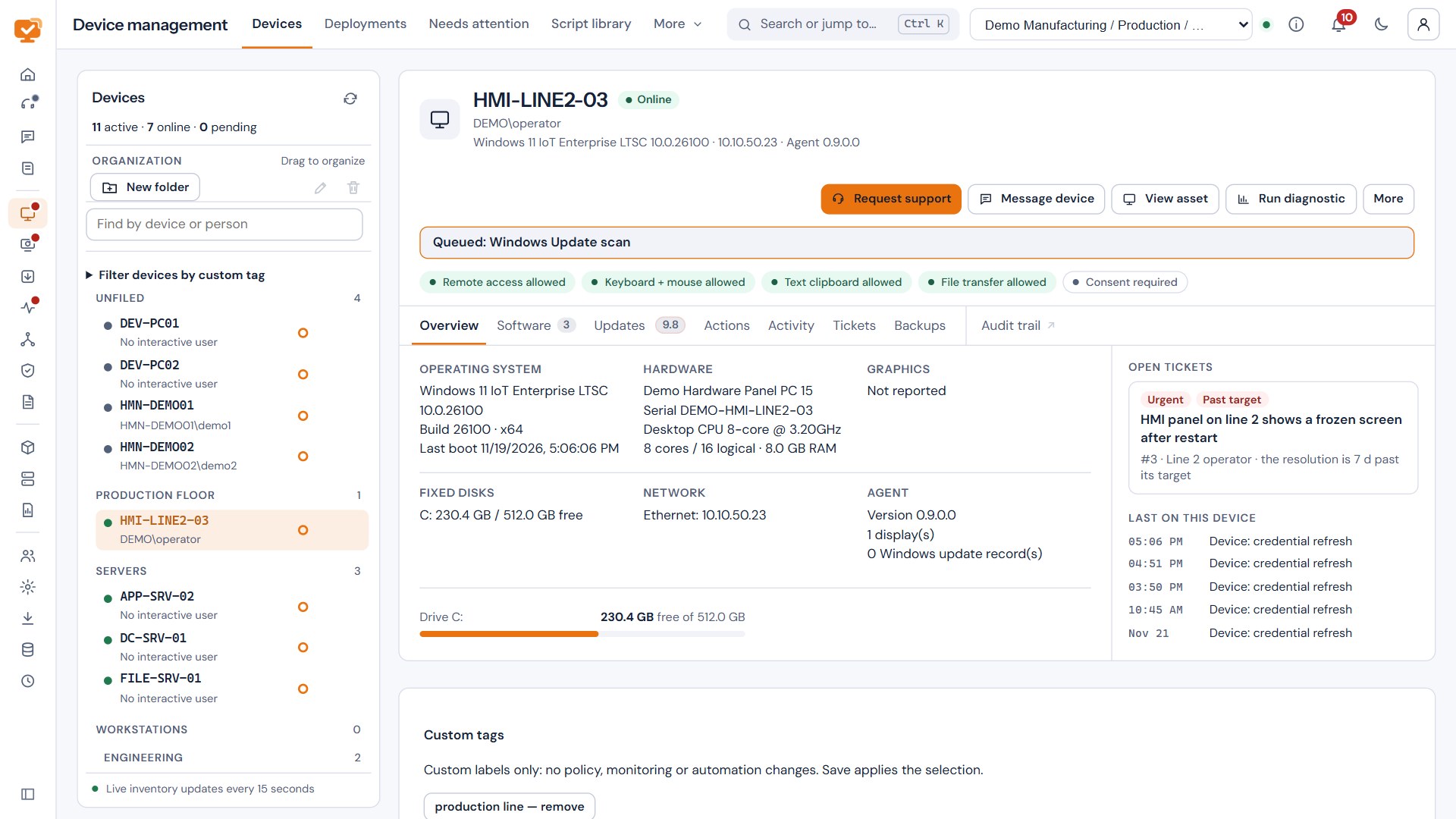
Manage Windows work you can follow
Find devices by name or person and open a single device page for inventory, activity and support. Review actions before sending work to an approved group.
- Approve new devices and organize them for everyday operations.
- Use Software Deploy profiles for applications, scripts and Windows settings.
- Follow each deployment step and see work that is running or waiting.
- Keep device details and support history connected.
Put the most serious gaps first
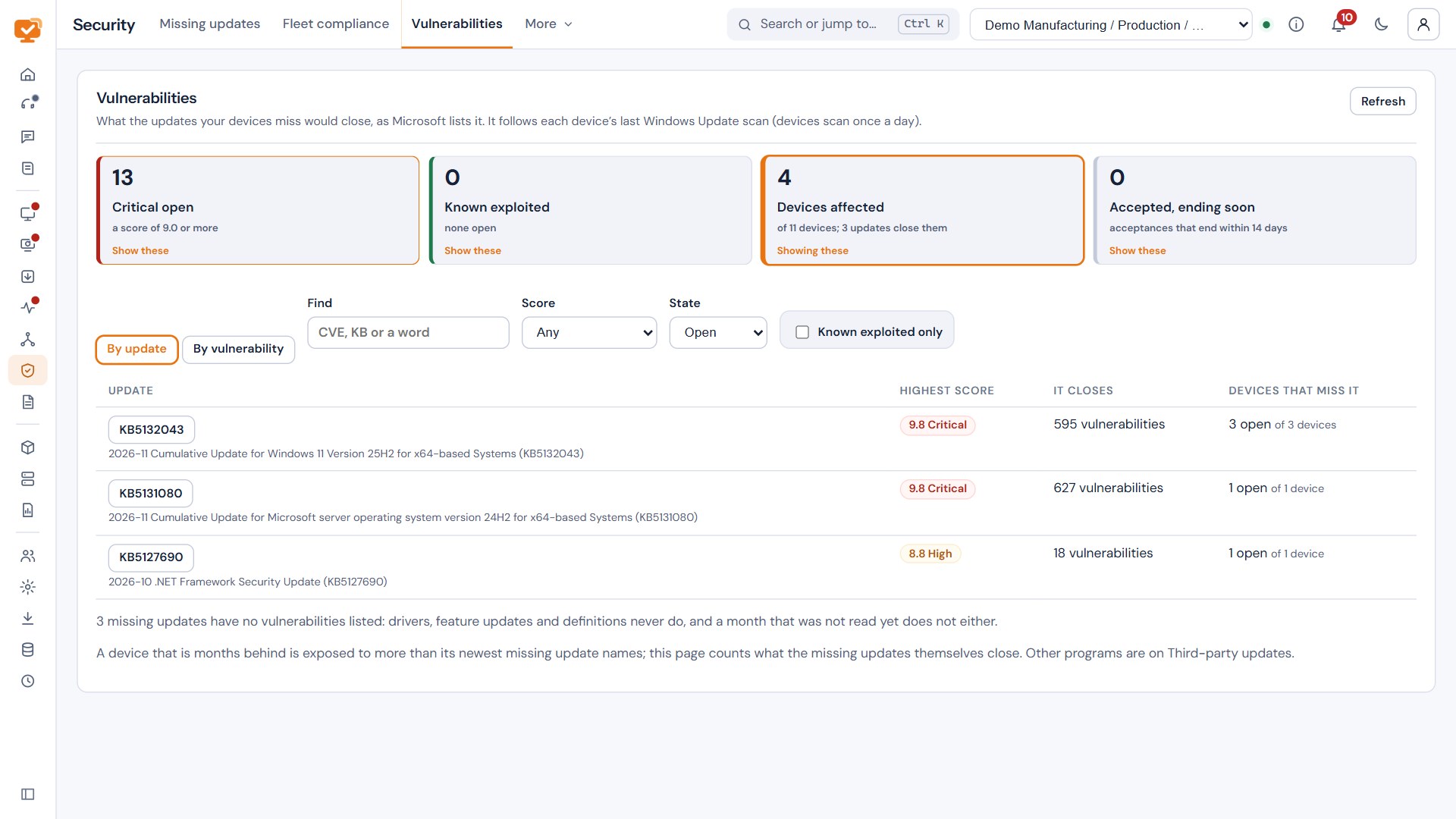
Patching with context
See which devices are missing updates and the vulnerabilities those gaps leave open. When security scores are enabled, use CVSS severity and known-exploited flags to prioritize work.
- Approve an update once across the fleet, or decline or defer it.
- Install approved updates in each device’s maintenance window.
- Review vulnerability exposure associated with missing updates.
- Follow update compliance without losing the device context.
See what needs attention
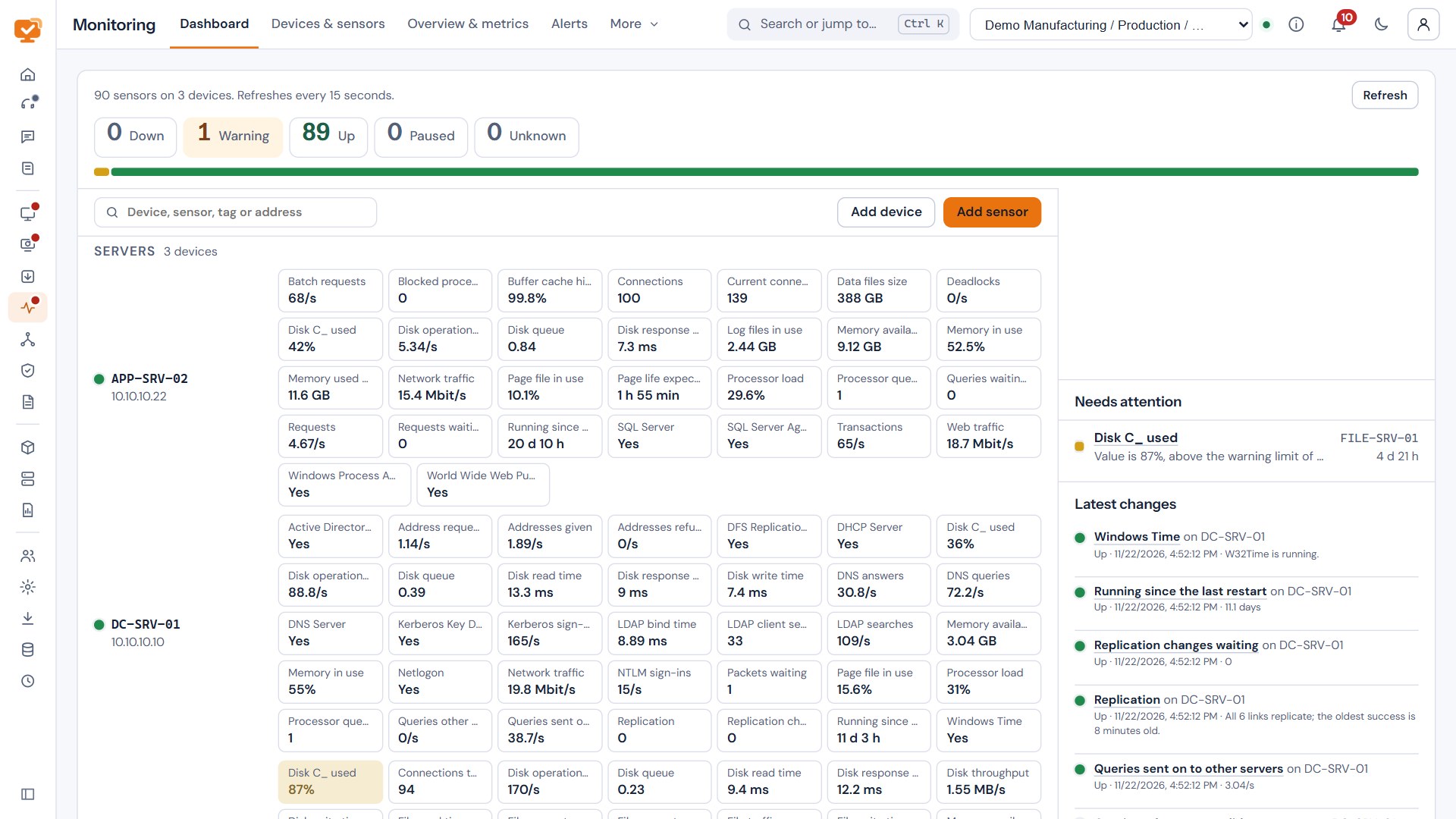
Monitoring, sensors and logs
Follow device and service health through dashboards, a sensor status wall and detailed history. Bring operational alerts into the same workspace as support requests.
- Review device sensors and zoom into their history.
- Use monitoring templates to keep checks consistent.
- Link monitoring alerts to service desk tickets.
- Keep logs, activity and follow-up work close to the device.
Keep a way back
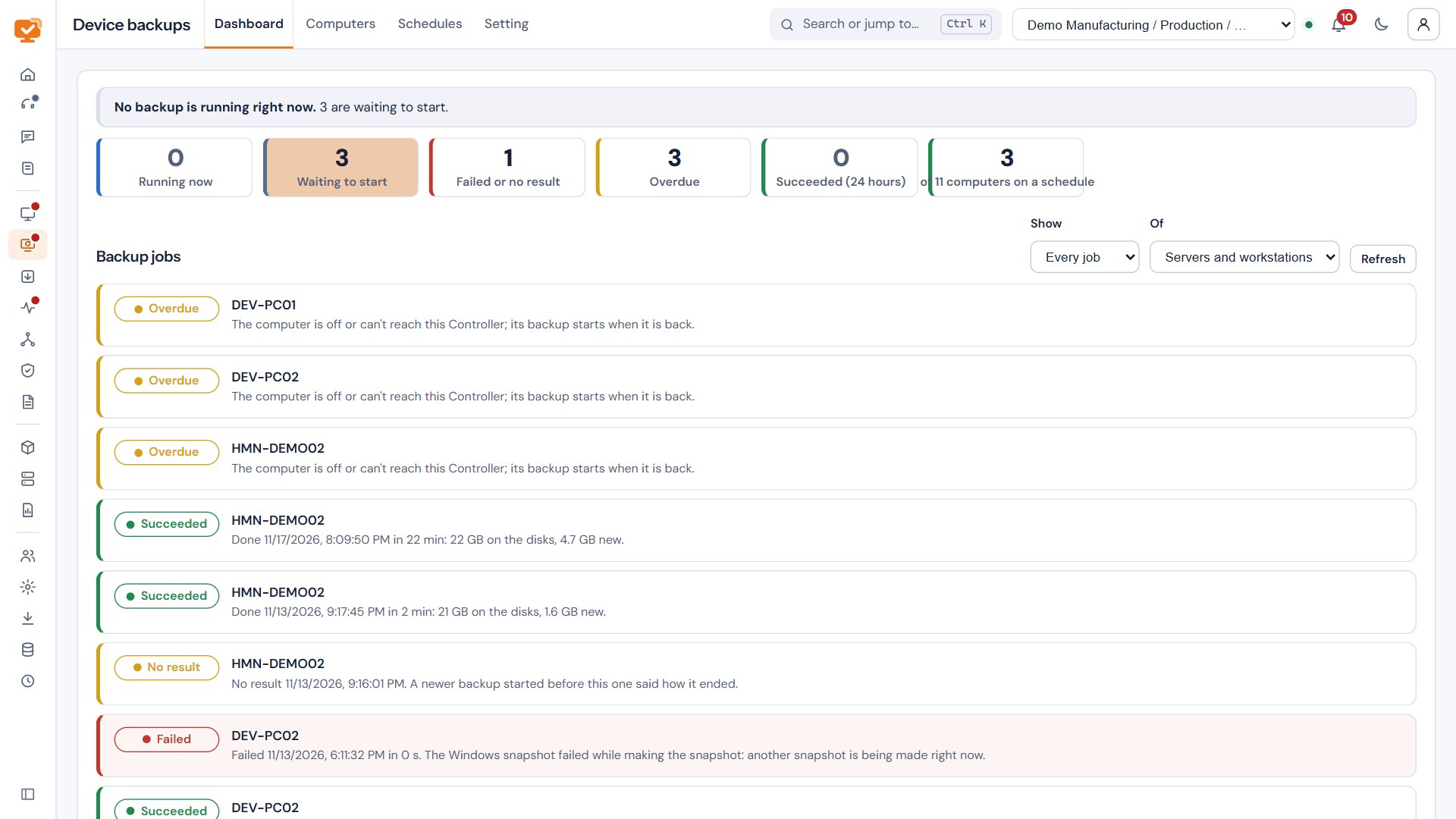
Device backups with file recovery
Schedule Windows device image backups and follow their progress from the console. Browse restore points to recover the files or folders you need.
- Back up Windows disks using snapshot-based capture.
- Review job status and overdue or failed backups.
- Restore files and folders from a device restore point.
- Protect the Controller separately with encrypted backups and Setup-based recovery.
Keep the answer close
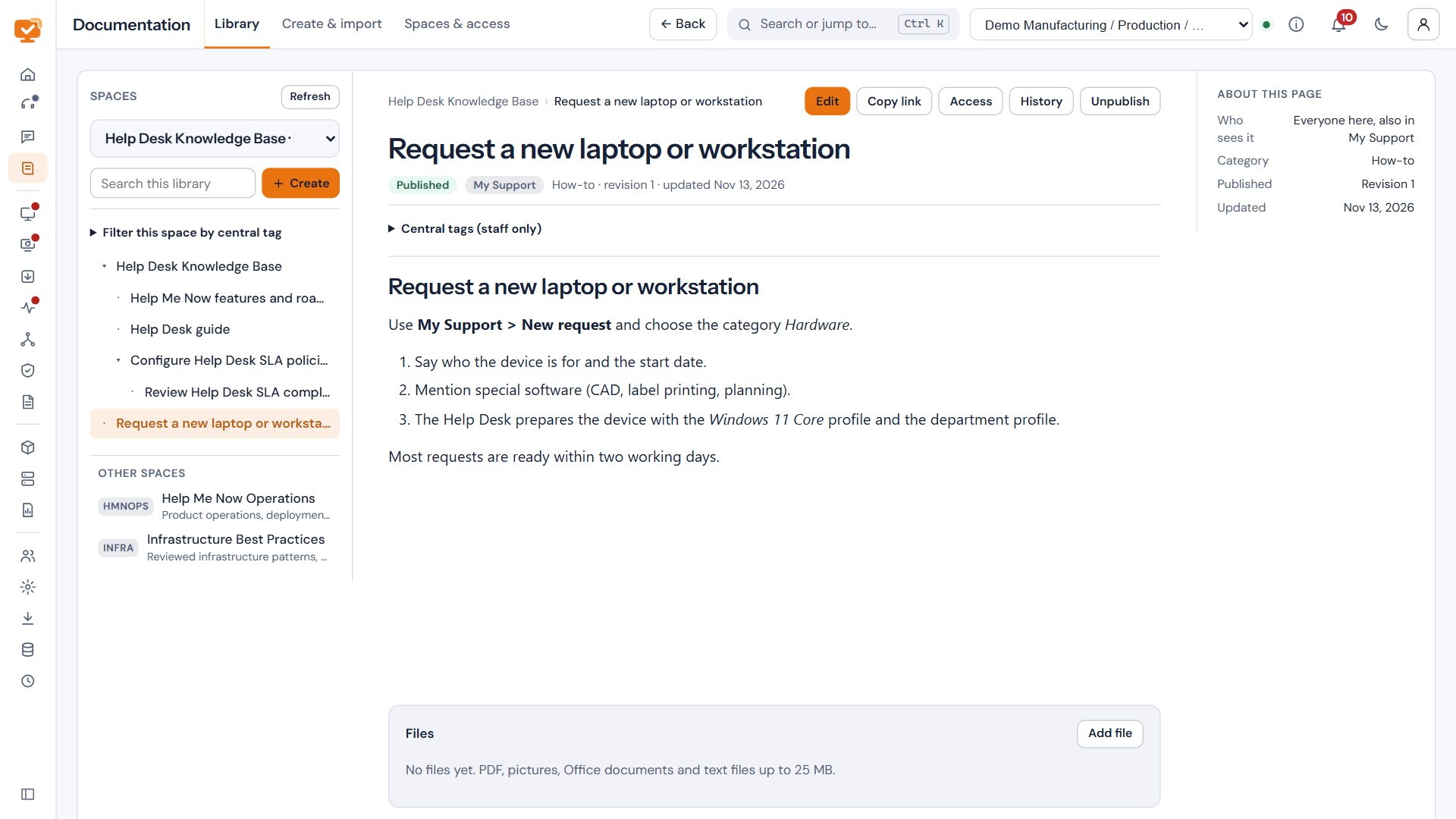
Documentation that reads like a library
Organize useful knowledge into spaces and pages, with a focused reading view and links from the work your team is doing.
- Keep guides for the Help Desk and software profiles in one place.
- Maintain drafts, versions and access controls for documentation.
- Connect knowledge with support and device operations.
Support beyond the office
Start encrypted remote sessions with user approval. Connect directly or use an outbound relay for devices outside the office, while keeping your Controller on your own server.
Know what you have
Bring discovery, assets, IP addresses, activity and CSV reports together so equipment and its history stay connected.
Your brand, your workspace
Use your own logo, colours and console layout. Manage access by role and keep the Controller, updates and backups under your control.
Keep exploring
The whole picture, in one PDF.
Download the product overview for current capabilities, security, recovery and what is planned next.